
Software for flight simulation and HOTAS
VIRPIL Controls publishes Windows tools to configure USB flight sticks, throttles, and rudder pedals for DCS World, Microsoft Flight Simulator, X-Plane, and other simulators. Download the latest builds from this portal — official VPC apps only.
Related VIRPIL software
 v20.26.10.27
VPC Cadet Configurator
Powerful VPC device configuration tool, but easier to use!
 v20.26.10.27
VPC Configuration Tool
The VPC Configurator Tool is our longstanding advanced programming suite for updating the firmware, configuring buttons, calibrating axis and adjusting RGB lighting.
 v3.2.4.4
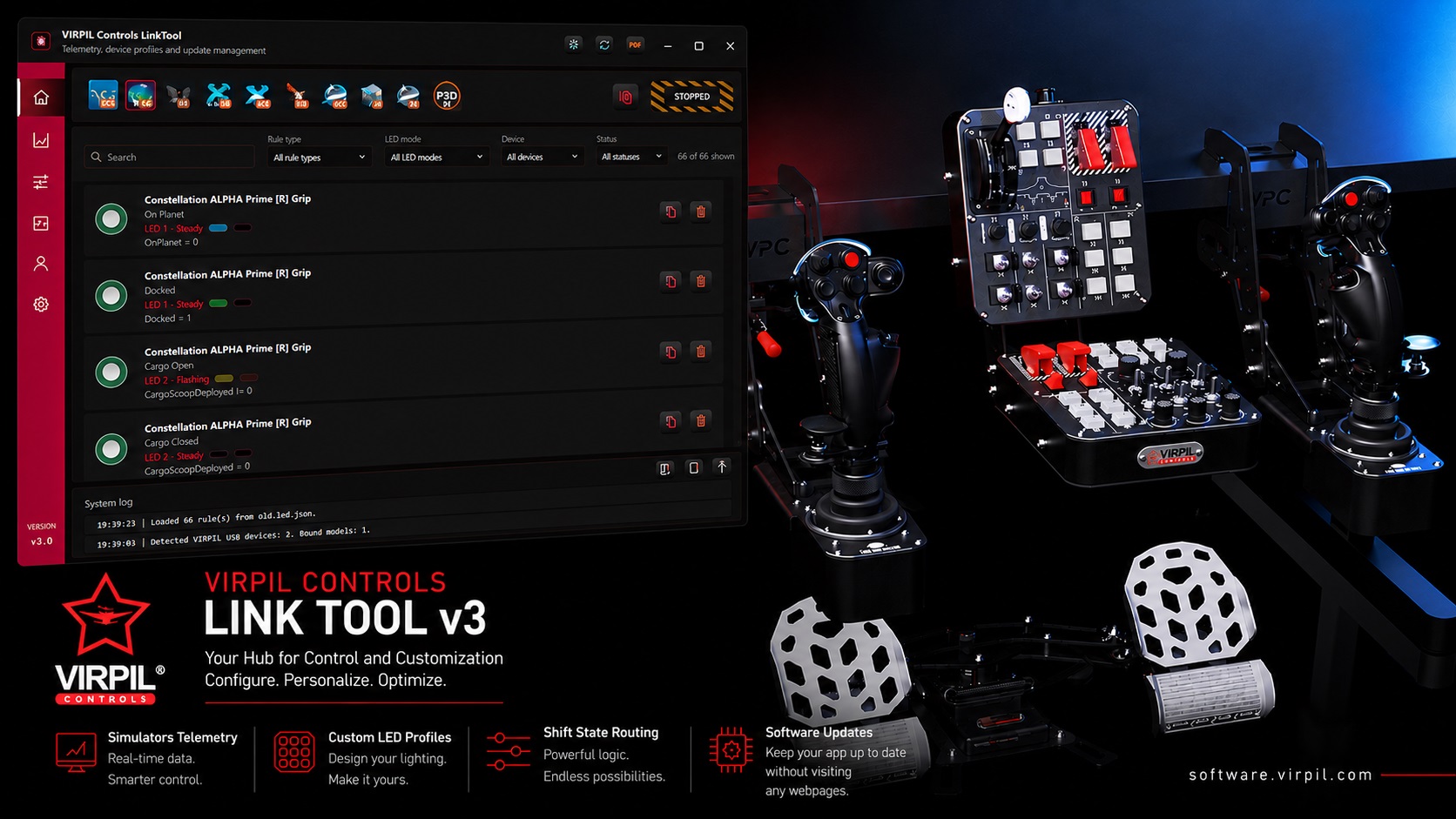
VPC Link Tool 3
Next-gen VPC Link Tool: rule-based LED lighting, multi-simulator telemetry, and Shift Link in one Windows app.
 v0.2.1.0
[Alpha Test] VIRPIL Controls Configurator
The brand new VPC Configurator 2.0. Featuring a completely revamped UI that is easier to understand whilst still offering complete and powerful control over your VPC devices.
Frequently asked questions
- Where do I download official VIRPIL software?
- Use software.virpil.com (this portal). Each product has its own page with the latest installer, release notes, and documentation.
- Does VIRPIL software work with DCS and Microsoft Flight Simulator?
- Yes. VPC tools configure your USB HID devices on Windows; the simulator reads standard joystick inputs once axes and buttons are calibrated in the VPC application.
- Do I need separate apps for stick and throttle?
- It depends on your VPC product family. The catalogue on the home page lists current tools — open your device’s tool page for the correct download.